

Jira helps track tasks and organize sprints, but it wasn’t designed to show how developer time is actually spent or how work maps to capacity, initiative-level investment, or delivery risk. Chrono fills those gaps by enriching Jira data with automated time tracking, business alignment, and real-time visibility into engineering workload.
What Is Jira?
Jira serves as the industry-standard issue tracker for engineering teams, designed to manage tasks, organize backlogs, and coordinate sprint planning. Its configurable nature and widespread adoption make it embedded in how product and engineering teams track work.
The platform excels at structuring workflows and keeping development visible across teams. Over 42,000 websites have Jira installed, with more than 8,000 actively using it. Among the top one million websites, approximately 2,403 rely on Jira daily.
However, Jira wasn’t designed to show how developer time is actually spent or how work maps to capacity, initiative-level investment, or delivery risk.
What Is Jira Used For?
Jira Benefits:
- Industry-standard tool for issue tracking and project management
- Flexible workflows supporting Agile frameworks like Scrum and Kanban, plus hybrid methodologies
- Strong support for sprint planning and backlog grooming
- Rich ecosystem of plugins and integrations
- Helps teams stay organized and aligned on project tasks
- Provides visibility into project progress for managers and stakeholders
Productivity can increase by 20-30% with Jira implementation, and nearly 71% of teams report improved collaboration after adopting task tracking systems.
The Limitations of Using Jira Alone for Developer Visibility
Jira helps track tasks and organize sprints, but falls short in providing complete visibility into developer workload. Key gaps include:
Jira Tracks Issues, Not Actual Effort or Time Spent
Jira’s time tracking relies entirely on manual entry, resulting in partial and often outdated data. Without consistent input from every developer, visibility into time distribution and workload patterns remains incomplete.
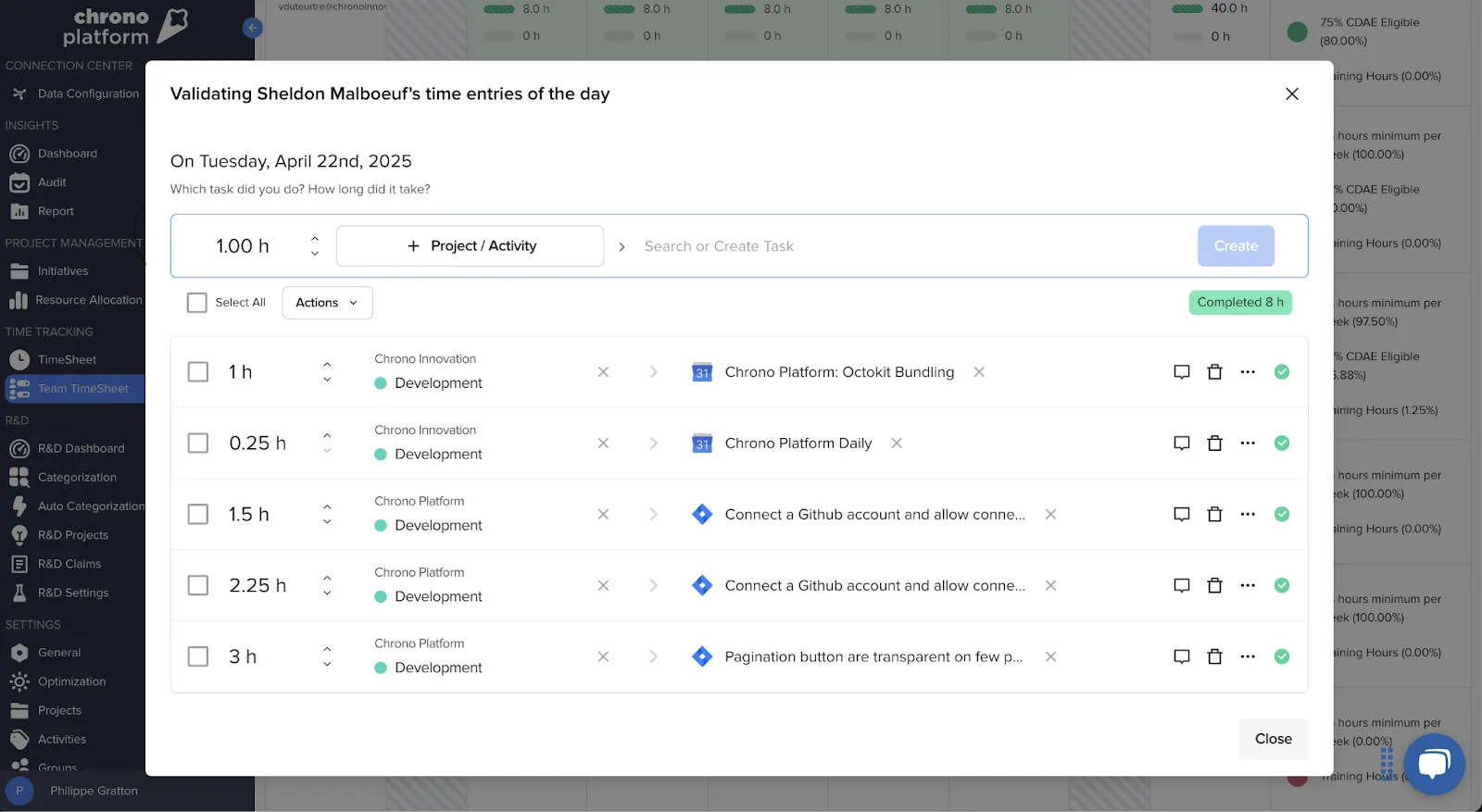
Hard to See Unplanned Work, Meetings, and Interruptions
Planned work rarely reflects day-to-day execution. Research from UC Irvine found people typically go just 11 minutes before being interrupted, with 25 minutes needed to regain focus. Teams that hold 20-25% of capacity for unplanned work are more adaptable and less stressed.
No Visibility Into How Engineering Time Maps to Business Priorities
Jira doesn’t indicate which work supports key goals or how to shift focus toward strategic priorities.
No Reverse-Engineered Time Allocation or Tax Credit Optimization
Jira cannot help recategorize time based on new rules or scope changes, making R&D tax credit claims difficult to justify.
No Connection to Financial Outcomes or R&D Incentives
The platform doesn’t tie engineering time to cost centers or track financial outcomes, blocking ROI justification and tax incentive optimization.
What Engineering Leaders Need to See About Developer Workload
Actual Time Spent on Value-Generating Work
Chrono automatically shows time captured across systems without developer disruption. The platform helped Empego log 3,586.75 hours against a core infrastructure project, each categorized by task and activity type.
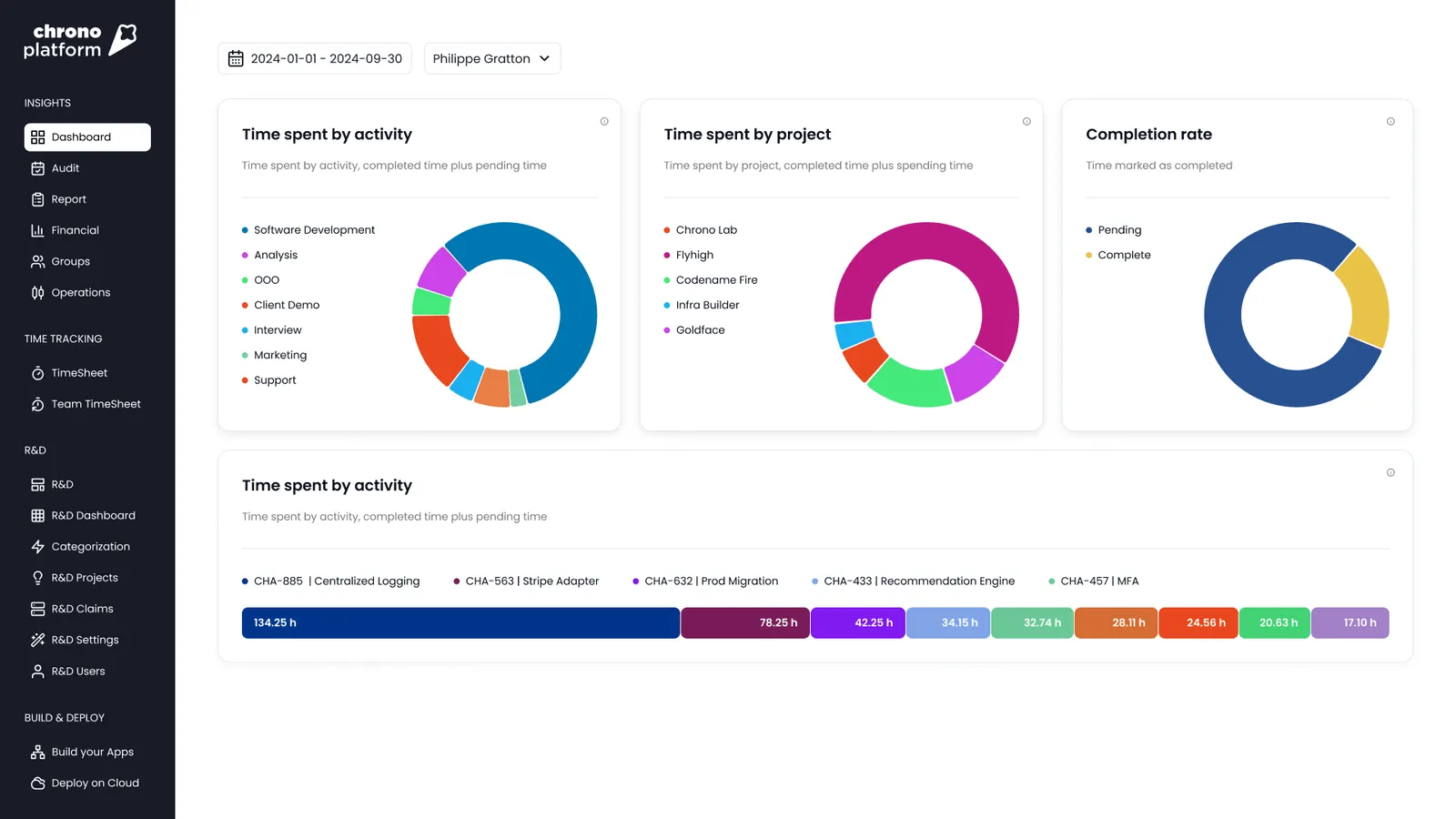
Time Lost to Meetings, Interruptions, and Context Switching
Developers spend approximately 21 hours in meetings each week. After 20 minutes of interrupted work, people report higher stress and heavier workloads. Context switching reduces productivity by nearly 45%.
Chrono tracks these drains across tools and calendars, showing total meeting time per developer and exact interruptions routed to tickets.
Capacity Planning and Future Workload Forecasting
Incomplete data transforms forecasting into speculation. Chrono models upcoming work alongside real-time task loads, helping teams avoid overloading developers and enabling scalable resource decisions.
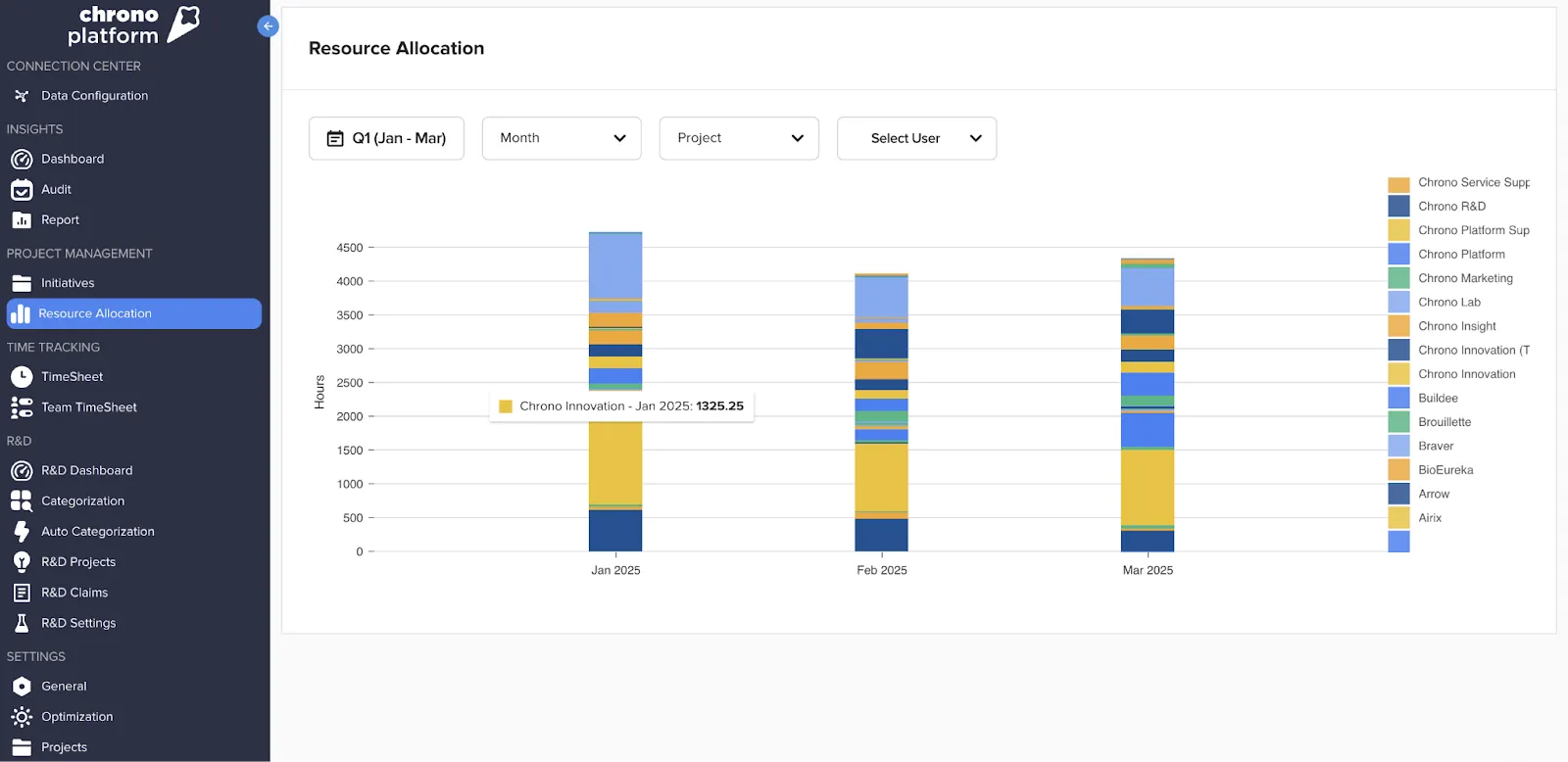
Business Alignment of Engineering Work
Chrono allows tagging time entries by initiative or strategic objective, revealing what percentage of effort supports high-priority goals.
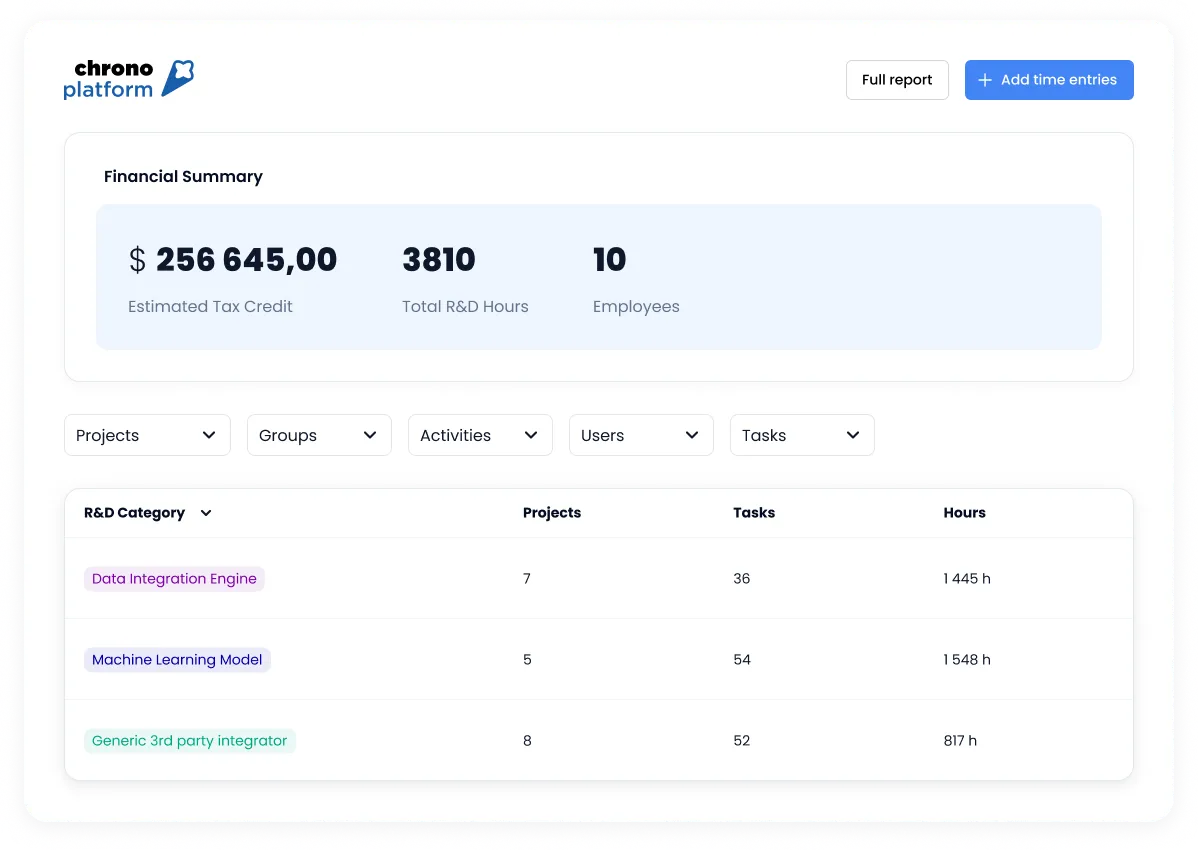
Audit-Ready Tracking for R&D Tax Credits
Chrono generates automated SR&ED documentation with time capture tied to workbooks. Empego reduced audit prep time to just two hours using this feature, with every developer hour tagged and ready for compliance.
5 Ways Chrono Enhances Jira to Get Full Developer Visibility
-
Enriched data from Jira with context layers. Clear breakdowns of time spent, task status, and cross-tool insights from calendars, communication apps, and repositories come automatically without manual setup.
-
Reconstructs time allocation across systems. Instead of requesting hour logs, Chrono analyzes activity from Jira and other tools to build accurate, daily time entries.
-
Uses evolving business rules to categorize engineering time. Auto-updating rules match company reporting needs without developer action or configuration.
-
SR&ED accruals tracked in real time. Eligible hours are tagged as work occurs, reducing audit prep time and risk.
-
Business-aligned dashboards. Clear views address Engineering, Finance, and Executive needs with relevant data for each group.
Chrono + Jira in Action: Key Benefits
Gain Accurate, Real-Time Visibility Into Engineering Workload
See where team hours are allocated. Chrono displays actual time spent on tasks, automatically categorized by Jira epic, sprint, or project.
Optimize Resource Allocation and Capacity Planning
Real-time bandwidth mapping shows who’s overloaded and available without manual reporting. Empego avoided hiring full-time DevOps and instead scaled smartly.
Reduce Engineering Burnout and Improve Team Health
Early visibility into overload patterns enables fair work distribution and prevents last-minute crunches.
Maximize R&D Tax Credit Claims With Minimal Effort
Eligible activities are captured in real-time with auto-tagged entries for SR&ED, Section 174, or CDAE claims.
Align Engineering Efforts With Business Goals
Tag time by strategic objective or feature to steer teams toward high-priority work and demonstrate value to the broader organization.
Who Benefits Most From Using Chrono + Jira?
- VPs of Engineering seeking fewer delivery surprises and better forecasting
- Engineering Managers looking for clear pictures of team health, workload, and capacity
- CTOs aiming to tie engineering output to strategic business priorities
- CFOs needing faster, easier R&D tax credit tracking without slowing developers
How to Get Started With Chrono + Jira
- Simple integration with no disruption to Jira workflows
- No timers, tagging, or workflow changes required
- Chrono pulls and enriches data automatically from Jira, calendars, and communication tools
- Insights appear within days of connection